 Cybersecurity
How to Protect Your Phone from Hacking in 2026: 15 Essential Steps
1.8 billion phones faced hacking attempts in 2025 alone. Learn 15 practical steps to protect your phone from hacking and spying with security settings and recommended apps.
What you will learn
- You will learn 15 practical steps to protect your phone from hacking and spying
- You will discover essential security settings for Android and iOS
- You will find the best recommended security apps for your phone
Why Is Phone Security a Top Priority in 2026?
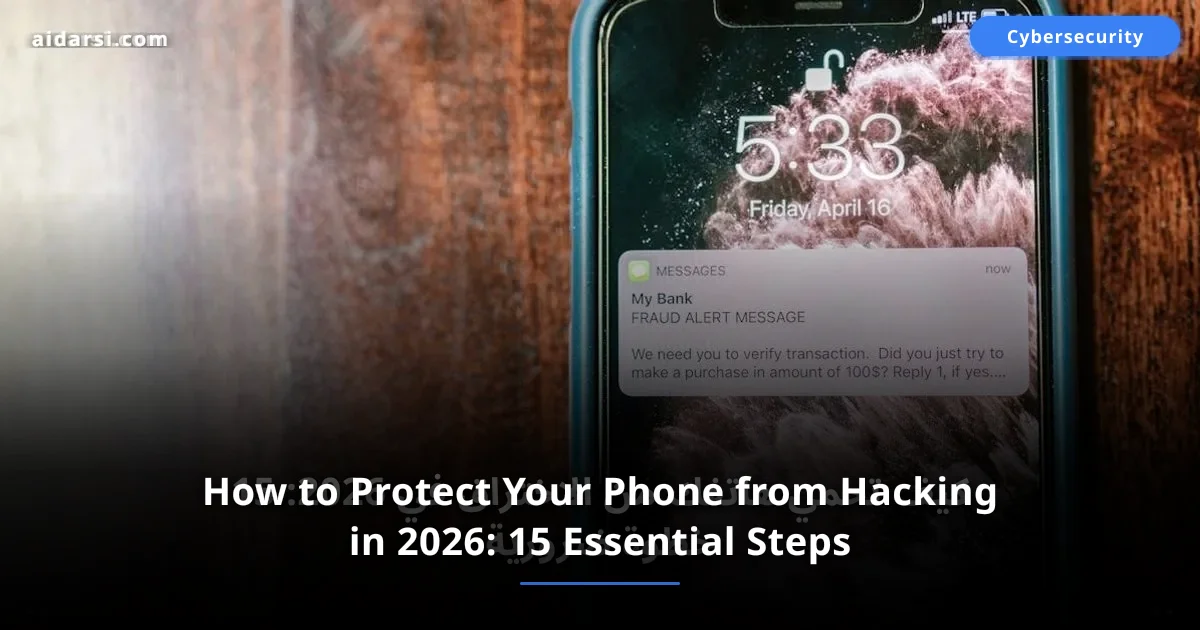
Phone security has become the most critical personal cybersecurity challenge of 2026 — with 1.8 billion smartphones targeted by hacking attempts in 2025 and 60% of all phishing attacks now specifically targeting mobile devices rather than computers.
1.8 billion smartphones were targeted by hacking attempts in 2025, according to Kaspersky's report. 60% of phishing attacks now target mobile devices specifically. In the Gulf region, mobile attacks surged by 35% over the past year.
Your phone carries your entire digital life: bank accounts, photos, conversations, work data. A compromised phone means a compromised life. Here are 15 practical steps to keep it safe. For foundational knowledge before diving in, read cybersecurity fundamentals.
| Statistic | Number |
|---|---|
| Phones targeted by hacking attempts (2025) | 1.8 billion |
| Phishing attacks via mobile | 60% |
| Average cost of personal data breach | 1,500 SAR |
| Average time to detect a breach | 207 days |
What Are the 15 Steps to Protect Your Phone?
Applying all 15 steps takes less than an hour and reduces your phone's attack surface by over 90% — making you a significantly harder target than the average user who relies solely on default factory settings.
1. Update Your OS and Apps Immediately
Updates are not just new features -- they are critical security patches. Each update closes vulnerabilities discovered by researchers. Delaying leaves the door wide open.
How to enable automatic updates:
- Android: Settings > System > Software Update > Auto-download
- iPhone: Settings > General > Software Update > Automatic Updates
2. Use a Strong Password and Biometric Lock
A 4-digit PIN can be guessed in 22 minutes. Use at least 6 digits or an alphanumeric password, and enable fingerprint authentication.
3. Enable Two-Factor Authentication (2FA)
| Method | Security Level | Reason |
|---|---|---|
| SMS text message | Medium | Vulnerable to SIM swap attacks |
| Google Authenticator app | High | Codes are generated locally |
| YubiKey security key | Highest | Requires physical device presence |
4. Verify Apps Before Installing
Ask yourself: do I actually need this? Then check the developer, ratings, permissions, and download count.
5. Beware of Public Wi-Fi Networks
Never log into bank accounts on public networks. Make sure every site uses HTTPS. Disable automatic connection to open networks.
6. Use a Trusted VPN
# Change DNS server on Android for extra protection
# Encrypted DNS prevents your ISP from tracking your activity

# Method: Settings > Network > Private DNS
# Enter one of these addresses:

# Cloudflare DNS (fast and secure):
dns.cloudflare.com

# Google encrypted DNS:
dns.google

# Quad9 DNS (automatically blocks malicious sites):
dns.quad9.net

# On iPhone: Settings > Wi-Fi > tap (i)
# Change DNS to: 1.1.1.1, 1.0.0.1
7. Review App Permissions Regularly
- Android: Settings > Apps > App Permissions
- iPhone: Settings > Privacy & Security
Pay close attention to: Camera, Microphone, Location, Contacts.
8. Enable Encrypted Backups
- Android: Settings > Google > Backup
- iPhone: Settings > [Your Name] > iCloud > Enable "Advanced Data Protection"
9. Enable "Find My Phone"
For remote control if lost or stolen: locate, lock, or wipe data.
10. Never Click Suspicious Links
90% of breaches start with a message containing a malicious link. Long-press any link to see its full URL before opening. If you suspect your phone is already compromised, read 10 signs your phone is hacked to confirm and act fast.
Common phishing patterns: "Your bank account has been suspended," "You have a package arriving," "You won a prize!" The rule: any message urging you to act immediately -- respond to it very slowly.
11. Protect Your SIM Card
Contact your carrier and request a PIN code on your account. Use authenticator apps instead of SMS for verification.
12. Physically Secure Your Phone
Never leave it unattended. Use a privacy screen protector. Enable app lock with an additional fingerprint for sensitive apps.
13. Disable Bluetooth and NFC When Not in Use
Bluebugging and BlueBorne attacks happen without your knowledge if you are within the attacker's range.
14. Review Apps Connected to Your Accounts
- Google: myaccount.google.com/permissions
- Apple: Settings > [Your Name] > Sign-In & Security
- Remove any app unused for 3 months
15. Scan Your Phone Periodically
Use one security app only -- multiple apps conflict and slow down your phone. Choose Bitdefender for best value or Kaspersky for free protection.
What Are the Signs Your Phone Has Been Hacked?
| Sign | Severity | Action |
|---|---|---|
| Battery draining fast | Medium | Check active apps |
| Overheating without reason | Medium | Restart and monitor |
| High data consumption | High | Scan with a security app |
| Strange apps appearing | Very High | Delete them and change passwords |
| Messages you did not send | Critical | Change all passwords immediately |
How Do iPhone and Android Compare on Security?
| Criteria | iPhone (iOS 19) | Android (15+) |
|---|---|---|
| Default encryption | Always enabled | Enabled on most devices |
| Update speed | Immediate for all devices | Depends on manufacturer |
| App review | Very strict | Less strict |
| Security customization | Limited but sufficient | Flexible and customizable |
iPhone is more secure by default. But Android offers more flexibility for those who know how to use it. An aware user on any platform is safer than a careless user on the best platform.
؟Can my phone be hacked without touching it?
Yes, through phishing messages with malicious links, OS vulnerabilities (Zero-Click attacks), or fake Wi-Fi networks. That is why security updates and caution with links are essential.
؟Does a factory reset remove a hack?
In most cases, yes. But in rare instances, some advanced malware (like Pegasus) can survive. After a reset, install apps manually and do not restore the backup right away.
؟What is the first thing I should do if I discover my phone is hacked?
Immediately: 1) Enable airplane mode, 2) From another device, change passwords for your important accounts, 3) Notify your bank to freeze cards, 4) Run a scan with a security app, 5) If the problem persists, do a factory reset.
؟How do I protect my child's phone?
Create a dedicated account (Google Family Link or Apple Screen Time), enable parental controls, disable in-app purchases, teach your child not to click suspicious links, and review apps weekly.
؟Is a VPN necessary for phone security?
A VPN is not strictly necessary for daily use, but it becomes essential when connecting to public Wi-Fi networks — at coffee shops, airports, hotels, and universities. These networks are common hunting grounds for attackers who intercept unencrypted traffic. A VPN encrypts all traffic leaving your device, making it unreadable even if intercepted. For home use on a trusted network, a VPN adds privacy benefits but is not a critical security requirement.
؟How do I know if an app is safe to install?
Check four things before installing any app: the developer's name and other published apps (search the developer on Google), the number of downloads and the rating (avoid apps with fewer than 1,000 downloads from an unknown developer), the permissions requested (why would a flashlight app need microphone access?), and recent user reviews mentioning suspicious behavior. Even in official app stores, malicious apps occasionally slip through — extra scrutiny for unknown developers is warranted.
؟What is a SIM swap attack and how do I prevent it?
A SIM swap attack occurs when an attacker convinces your phone carrier to transfer your phone number to a SIM card they control, giving them access to SMS verification codes for all your accounts. Prevention: request a verbal PIN or security code on your carrier account that must be provided before any SIM changes, switch from SMS-based 2FA to authenticator apps for all important accounts, and never share personal details on social media that could help attackers impersonate you to your carrier.
؟How often should I change my phone password?
Changing your phone's lock screen password regularly is less important than making it strong in the first place. A random 8+ character alphanumeric password changed once every year or two is far more secure than a predictable 6-digit PIN changed monthly. What matters more than regular changes: never reusing the password on other accounts, not sharing it with others, and changing it immediately if you believe it has been compromised.
Are You Ready?
Protecting your phone is not a complicated task -- it is a set of simple daily habits. Start today with the three most important steps: update your system, enable two-factor authentication, and delete apps you no longer use.
Hackers always look for easy targets. The moment you make your phone harder to breach, you are relatively safe. Start now: set aside 30 minutes to apply the top 5 steps. Follow our articles on cybersecurity for more practical guides.
Sources & References

Related Articles
The Most Dangerous Cybersecurity Threats in 2026 and How to Protect Yourself
A new cyberattack happens every 39 seconds. Discover the 8 most dangerous cyber threats of 2026 including AI attacks and ransomware, with practical protection tips
Cybersecurity: 25 Practical Tips to Protect Your Data and Devices
25+ practical tips to protect your data and devices from hacking. A comprehensive guide covering passwords, networks, email, mobile phones, and more
Free vs. Paid VPN: 7 Real Differences You Need to Know
Free or paid VPN? A comprehensive comparison revealing the real differences in speed, privacy, and security — with real-world examples and tips to choose wisely.