 Cybersecurity
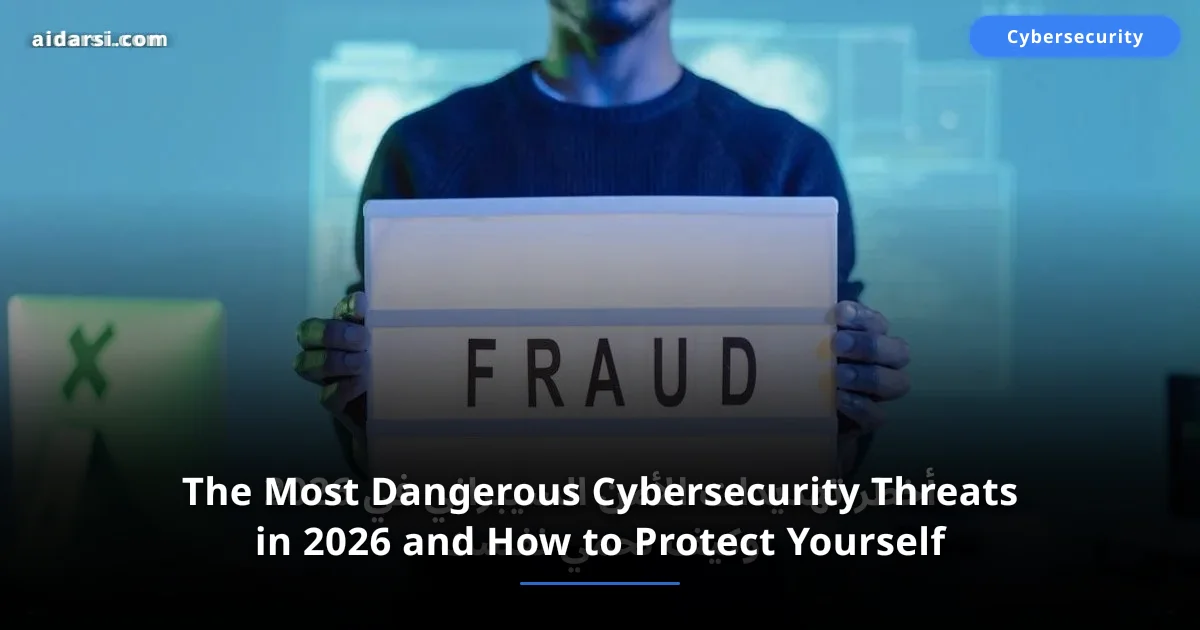
The Most Dangerous Cybersecurity Threats in 2026 and How to Protect Yourself
A new cyberattack happens every 39 seconds. Discover the 8 most dangerous cyber threats of 2026 including AI attacks and ransomware, with practical protection tips
What you will learn
- You will learn about the 8 most dangerous cyber threats facing you in 2026
- You will understand how AI attacks and advanced ransomware work
- You will get practical, immediate protection tips for every threat type
What Does the Cyber Threat Landscape Look Like in 2026?
94% of cybersecurity leaders consider AI-powered threats an existential risk to their organizations. The cost? $10.5 trillion annually — a figure exceeding the GDP of most countries.
Attacks have become smarter and faster. In the Arab region, they rose by 38% compared to 2025, with increased targeting of the financial and government sectors. This guide reveals the 8 most dangerous threats you face in 2026 with practical protection tips. If you are new to the field, start with Cybersecurity Fundamentals and then come back here.
| Indicator | 2026 Value |
|---|---|
| Global cybercrime cost | $10.5 trillion/year |
| Percentage of AI-powered attacks | 67% of all attacks |
| Average cost of a company data breach | $4.88 million |
| Average time to detect a breach | 194 days |
1. How Do AI-Powered Attacks Work?
Generative AI tools can now create personalized phishing messages in flawless language, custom-tailored to you based on your publicly available data — making AI-powered attacks the most dangerous evolution in the threat landscape since ransomware.
Deepfakes — The Most Alarming Part
In February 2024, a company in Hong Kong lost $25 million after a video call with someone who looked exactly like their CFO — but it was a deepfake. In 2026, this technology has become cheaper and more accessible.
How to Protect Yourself
- Always verify the caller's identity through a different channel
- Set up a verbal passphrase with colleagues for verifying important calls
- Use deepfake detection tools like Microsoft Video Authenticator
- Never trust any urgent financial request, even from someone you know
Minimize the personal information you share publicly. Every piece of information you post is raw material AI can use against you.
2. What Is Ransomware-as-a-Service?
The Ransomware-as-a-Service model has emerged where anyone can "rent" a ready-made ransomware tool for a share of the profits — lowering the technical barrier for attackers to near zero while dramatically increasing the volume of attacks.
| Stage | Description |
|---|---|
| Developer | Builds the ransomware and provides a control panel |
| Affiliate | Pays a subscription or percentage and gets the software ready |
| Attack | The affiliate chooses targets and executes the breach |
| Ransom | Profits are split between developer and affiliate (usually 70/30) |
The LockBit 4.0 group targeted hospitals and universities in the Arab region, demanding ransoms between $50,000 — $500,000 per victim while threatening to publish the data — known as double extortion. For details on one of these attacks, read Ransomware Attack on Healthcare.
How to Protect Yourself
- Backups following the 3-2-1 rule: three copies, two different media types, one offsite
- Do not pay the ransom — 80% of those who paid were attacked again
- Update your systems immediately — most ransomware exploits known, patched vulnerabilities
- Segment your network (Network Segmentation) to prevent encryption from spreading
3. How Do Supply Chain Attacks Work?
Instead of attacking you directly, attackers target the software and tools you trust. They compromise an update from software used by millions, reaching everyone at once.
Examples: SolarWinds (2020) affected 18,000 organizations. MOVEit (2023) impacted 77 million people. In 2026, similar attacks targeted npm and PyPI libraries.
# Verify file integrity using SHA-256
sha256sum downloaded-file.tar.gz
# Compare the output with the official value from the developer's site

# Check Python libraries for known vulnerabilities
pip install safety
safety check --full-report

# Check npm packages for known vulnerabilities
npm audit
How to Protect Yourself
- Verify update integrity through digital signatures (checksums)
- Monitor software behavior after updates
- Use SCA tools (Software Composition Analysis) to scan libraries
- Minimize reliance on unnecessary external libraries
4. What Are Zero-Day Exploits and Why Are They So Dangerous?
Zero-Day vulnerabilities are security flaws the developer has not yet discovered — meaning no patch exists. Called "zero-day" because the developer has zero days to fix it, making them the most dangerous attack vector in existence.
| Vulnerability Type | Approximate Price |
|---|---|
| iPhone vulnerability (remote execution) | $1 — $2 million |
| Android vulnerability (remote execution) | $500,000 — $1 million |
| Windows vulnerability (privilege escalation) | $200,000 — $500,000 |
In 2026, a zero-day was discovered in the HTTP/3 (QUIC) protocol that was exploited for 47 days to steal data from financial companies in the Gulf region.
How to Protect Yourself
- Enable automatic updates on all your devices
- Apply the principle of least privilege — do not use an Admin account for daily tasks
- Implement multi-layered protection
- Monitor network traffic — unusual patterns reveal exploitation
5. Why Are IoT Devices Such a Security Risk?
Smart cameras, routers, voice assistants — every connected device is a potential entry point. In January 2026, a botnet of more than 300,000 surveillance cameras in the Arab region was discovered being used for DDoS attacks.
How to Protect Yourself
- Change default passwords immediately when buying any smart device
- Create a separate Wi-Fi network for IoT devices
- Disable unnecessary features
- Buy from reputable brands that commit to security updates
Start by changing your router password now — it is the most important IoT device in your home. If your router is older than 3 years and no longer receives updates, replace it.
6. How Do Cloud Service Breaches Happen?
Most cloud breaches happen due to configuration errors, not infrastructure weaknesses. In March 2025, data of 12 million users leaked from a Gulf e-commerce app because of a MongoDB database with no password.
# Check for exposed secrets in a Git project
gitleaks detect --source . --verbose

# Clean result:
# ○ no leaks found

# Dangerous result (example):
# ● AWS Access Key detected
#   File: config/settings.py
#   Line: 42
How to Protect Yourself
- Enable multi-factor authentication (MFA) on your cloud accounts
- Review access permissions regularly
- Encrypt your data at rest and in transit
- Never push API keys to Git
7. How Does AI-Enhanced Social Engineering Work?
Attackers use AI to analyze your behavior and build custom attacks. In Saudi Arabia in 2026, WhatsApp messages impersonating Absher and Tawakkalna spread with flawless Arabic (thanks to AI) and successfully stole thousands of users' data. For more detail, read our guide on Social Engineering.
Psychological Triggers Attackers Exploit
- Urgency: "Your account will be closed in 24 hours"
- Fear: "Suspicious activity detected on your account"
- Greed: "You won a prize worth 50,000 SAR"
- Authority: "This is an order from senior management — confidential and urgent"
How to Protect Yourself
- Pause before you click — take 10 seconds to think
- Check the URL — the difference between absher.sa and absher-sa.com is the difference between safety and a breach
- Never share OTP codes with anyone
- Educate your family — seniors and children are most vulnerable
8. What Is the Quantum Computing Threat?
Quantum computers powerful enough to break current encryption may appear within 5 to 10 years. Some entities are collecting encrypted data now to decrypt it later — known as Harvest Now, Decrypt Later.
How to Protect Yourself
- Follow post-quantum encryption standards — NIST released new standards in 2024
- Use updated protocols — Signal added PQXDH support, which is quantum-resistant
- If you are a developer: experiment with CRYSTALS-Kyber and CRYSTALS-Dilithium algorithms
Summary Table: The 8 Most Dangerous Cyber Threats of 2026
| Threat | Severity Level | Primary Protection Method |
|---|---|---|
| AI attacks and deepfakes | Critical | Multi-channel verification |
| Ransomware (RaaS) | Critical | Backups + updates |
| Supply chain attacks | High | Library scanning + checksums |
| Zero-day exploits | Critical | Immediate updates + layered protection |
| IoT vulnerabilities | High | Separate network + strong passwords |
| Cloud breaches | High | MFA + permission review |
| AI social engineering | Critical | Awareness + verification + no rushing |
| Quantum computing threat | Medium (future) | Post-quantum encryption |
How Do You Protect Yourself: A 7-Step Action Plan
You do not need a massive budget. These are steps you can implement over a weekend:
- Enable multi-factor authentication (MFA) on all your important accounts — use an authenticator app instead of SMS. 30 minutes.
- Install a password manager like Bitwarden (free) — stop memorizing passwords. One hour.
- Update everything — OS, browser, apps, router. Enable automatic updates. 30 minutes.
- Create a backup using the 3-2-1 rule. Backblaze costs about $7/month. One hour.
- Secure your Wi-Fi network — change the router password, use WPA3, create a separate network for IoT devices. 20 minutes.
- Review privacy settings on your social accounts and delete abandoned accounts. 45 minutes.
- Spend 15 minutes weekly reading cybersecurity news from trusted sources.
FAQ
؟Is antivirus alone enough to protect me in 2026?
No, traditional antivirus is no longer sufficient on its own. Modern threats like AI-powered phishing cannot be stopped by antivirus alone. You need a multi-layered approach: updated antivirus + two-factor authentication + password manager + security awareness.
؟What is the most dangerous cyber threat for regular users in 2026?
AI-enhanced social engineering. Phishing messages have become nearly flawless linguistically and highly personalized. The best protection is healthy skepticism toward any message demanding urgent action.
؟Do I really need a VPN?
Yes, when using public Wi-Fi networks. Most free VPN services are not safe — the exception is ProtonVPN, which offers a reliable free version. If you use VPN daily, invest in Mullvad (about $5/month).
؟How do I know if my data has been breached?
Enter your email at Have I Been Pwned (haveibeenpwned.com). Other signs: password reset messages you did not request, unusual activity in your accounts, login notifications from unfamiliar locations. If you discover a breach, change your passwords immediately and enable two-factor authentication.
؟What should small businesses do first to protect against these threats?
Start with the four highest-impact measures: enable two-factor authentication on all accounts, deploy a password manager for the entire team, apply all pending software updates immediately, and create an encrypted backup following the 3-2-1 rule. These four steps address the root cause of over 80% of small business breaches. For a complete guide, read our cybersecurity guide for small businesses.
؟How can I recognize a deepfake video call?
Look for unnatural blinking patterns, inconsistent lighting on the face versus background, slight lip-sync delays, blurry edges around hair and ears, and audio that does not quite match the mouth movements. Ask the caller to perform an unexpected action like touching their nose or holding up a specific number of fingers — deepfakes struggle with these real-time requests. Establish a verbal code word with close colleagues and family for verifying identity in high-stakes calls, especially those involving financial requests.
؟Is it safe to store data in the cloud in 2026?
Cloud storage from reputable providers like Google, Microsoft, and AWS is generally safe when configured correctly — and that last part is critical. Most cloud breaches are caused by configuration errors (open databases, overly permissive access controls) rather than the cloud provider being hacked. Always enable MFA on your cloud accounts, encrypt sensitive data before uploading it, review who has access regularly, and never store API keys or credentials in cloud storage or code repositories.
؟How does the Harvest Now Decrypt Later quantum threat work?
Nation-state adversaries are suspected to be collecting encrypted communications today — government secrets, business transactions, diplomatic cables — and storing them to decrypt later once quantum computers become powerful enough to break current encryption algorithms. The data is useless now but could become readable within 5-10 years. Organizations handling long-term sensitive information should begin transitioning to NIST-approved post-quantum cryptographic algorithms now, as the migration will take years to complete across all systems.
Are You Ready?
Cyber threats in 2026 are smarter and faster than ever. But protection is neither complex nor expensive — you just need awareness and commitment to the basics. Start today with the seven steps above, and do not wait until you are attacked.
Cybersecurity is not a product you buy — it is a habit you practice daily. Are you ready? Read Cybersecurity Fundamentals for detailed, step-by-step practical guidance.
Sources & References

Related Tools
Related Articles
Ransomware Attack Disables 300 Hospitals: Cybersecurity Lessons
A new ransomware attack hits a US hospital network and shuts down emergency systems — what happened and how to protect your organization from ransomware attacks
Warning: The Most Common Online Scams in 2026 and How to Avoid Them
Online fraud losses exceeded $12.5 billion globally in 2025. Learn the top 10 scams in 2026 with real-world Arab examples and instant protection tips
Free vs. Paid VPN: 7 Real Differences You Need to Know
Free or paid VPN? A comprehensive comparison revealing the real differences in speed, privacy, and security — with real-world examples and tips to choose wisely.