 Cybersecurity
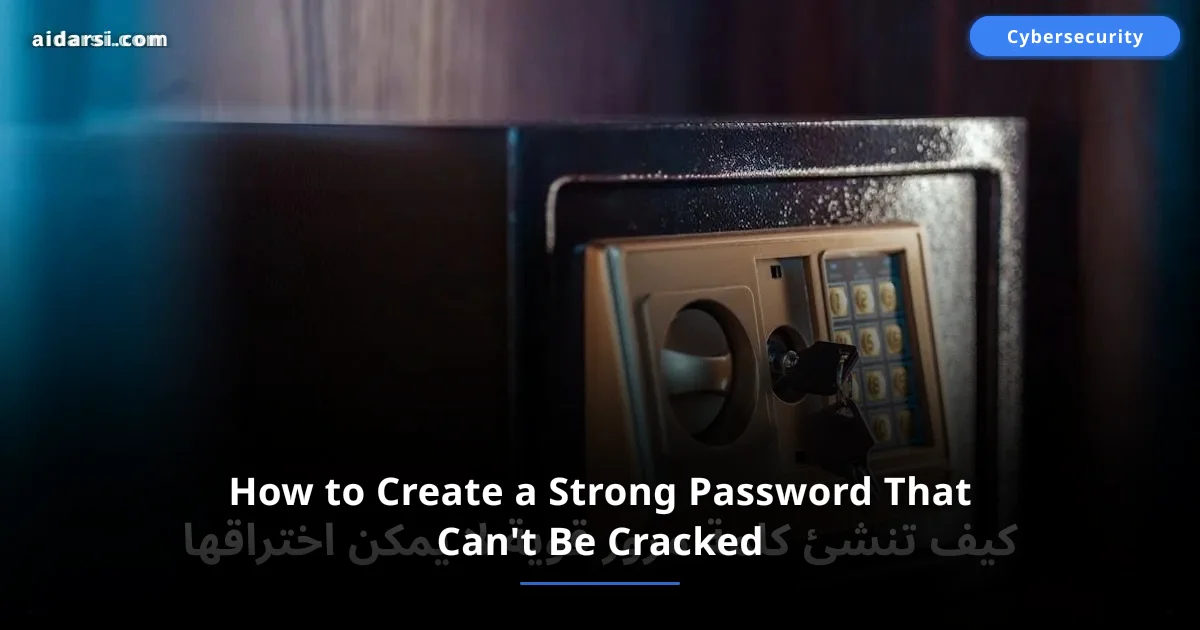
How to Create a Strong Password That Can't Be Cracked
A practical guide to creating unbreakable passwords: three generation methods, the best password managers like Bitwarden and 1Password, and how to enable two-factor authentication.
What you will learn
- You will learn 3 methods for creating strong, uncrackable passwords
- You will discover the best password managers like Bitwarden and 1Password
- You will understand how to enable two-factor authentication to protect your accounts
Why Do Passwords Still Matter?
Despite major advances in authentication technologies like fingerprint scanning and facial recognition, passwords remain the first line of defense for your digital accounts. According to Verizon's 2024 report, over 80% of breaches result from weak or stolen passwords. The numbers speak for themselves:
- 10 billion leaked passwords are available on the dark web
- 59% of users reuse the same password across multiple sites — putting their data privacy at risk
- An attacker can try 100 billion passwords per second using advanced hardware
If you think your password is secure because you added a number at the end, this article will change your perspective entirely.
The Worst Passwords and Their Dangers
Every year, cybersecurity companies publish lists of the most common passwords, and unfortunately, they don't change much:
# Worst 10 passwords — cracked in less than a second
123456
password
qwerty123
admin
letmein
welcome
monkey
abc123
iloveyou
111111
If your password is on this list or looks similar, you're in real danger. These passwords are cracked in less than one second because they're the first things attackers try. Short, common passwords are essentially the same as having no password at all.
Common Password Mistakes
- Using your name or birthday — easily guessed from your social media profiles
- Using one password for all your accounts — one breach means all accounts are compromised
- Adding a simple number or symbol at the end like
password1!— attackers know this trick - Writing your password on a sticky note attached to your screen
- Sharing your password via text messages or email
Rules for Creating a Strong Password
A strong password has three essential qualities: length, complexity, and uniqueness.
Length
Each additional character exponentially increases the difficulty of cracking. Here's a comparison:
| Password Length | Cracking Time (Brute Force) |
|---|---|
| 6 characters | Less than a second |
| 8 characters | 5 hours |
| 10 characters | 6 months |
| 12 characters | 34,000 years |
| 16 characters | Millions of years |
The golden rule: Your password should be at least 12 characters, ideally 16 characters or more.
Complexity
Combine different character types:
- Uppercase letters:
A-Z - Lowercase letters:
a-z - Numbers:
0-9 - Special symbols:
!@#$%^&*
Uniqueness
Every account must have a completely different password. If you use the same password for Gmail and a small forum, and that forum gets breached, your email is now exposed too. This is known as a Credential Stuffing attack.
Methods for Creating Strong Passwords
Method 1: Passphrase
Instead of a single complex word, use a sentence of several random words. This method combines ease and security:
# Example passphrase — easy to remember, hard to crack
Coffee-Mountain-Blue-Star-42!
Sunset#River_Purple!Cloud77
A passphrase is easier to remember and harder to crack. A sentence of 4–5 random words outperforms a complex 8-character password.
Method 2: Random Generator
Let software generate a completely random password:
# Random password — the strongest, but requires a password manager
Kx#9mL$vPq2!nW8@
This is the strongest type of password, but it's impossible to memorize. That's why you need a password manager (we'll cover that next).
Method 3: Mnemonic Abbreviation
Pick a sentence that means something to you and take the first letter of each word:
- Sentence: "My cat Felix has 9 lives and loves fish!"
- Password:
McFh9l&lf!
Or another example:
- Sentence: "I drink 3 cups of coffee every morning since 2015!"
- Password:
Id3cocems2015!
This method produces strong passwords that are easy to remember at the same time.
Password Managers — Why You Need One
If you have 50 accounts (the average for a regular user), it's impossible to memorize 50 strong, unique passwords. That's where a password manager comes in — an app that stores all your passwords in an encrypted vault, unlocked by a single master password.
Bitwarden (Free and Open Source)
The best option for the average user. Completely free with excellent features:
- End-to-end encryption (End-to-End Encryption)
- Available on all platforms: Windows, Mac, Linux, Android, iOS
- Browser extension that auto-fills passwords
- Open source — any expert can review the code
- Paid version ($10/year) adds built-in TOTP authentication
1Password
The best choice for families and teams:
- Clean, elegant interface
- Watchtower feature alerts you when any of your passwords is leaked
- Secure password sharing with family members
- Starts at $3/month
KeePass (Fully Local)
For advanced users who prefer complete control:
- Free and open source
- Database stored locally on your device (no cloud)
- Manual sync via Dropbox or Google Drive
- Requires more setup than alternatives
Don't rely solely on saving passwords in your browser. Browsers offer far weaker protection than dedicated password managers.
Two-Factor Authentication (2FA) — Your Second Layer of Defense
Even if your password is strong, it could be stolen through phishing or a data breach. Two-factor authentication adds a second layer of protection: even if an attacker knows your password, they can't log in without the second factor.
Types of Two-Factor Authentication
| Type | Security | Ease of Use |
|---|---|---|
| SMS message | Low | Very easy |
| Authenticator app (TOTP) | High | Easy |
| Physical security key (FIDO2) | Highest | Moderate |
Text Messages (SMS)
The weakest form of 2FA, but better than nothing. It can be intercepted through a SIM Swap attack, where an attacker convinces your carrier to transfer your number to a new SIM card.
Authenticator Apps (TOTP)
The recommended choice. These generate a new code every 30 seconds on your phone:
- Google Authenticator — simple and straightforward
- Authy — supports cloud backup
- Microsoft Authenticator — integrated with Microsoft accounts
Physical Security Keys (FIDO2/WebAuthn)
The strongest form of authentication. A small device like a YubiKey that you plug into a USB port when logging in. It can't be phished or copied. As technology advances, passkeys are starting to replace traditional passwords — read Will Passkeys Replace Passwords? to learn more.
How to Enable 2FA
- Go to the security settings of your account (Gmail, Twitter, Facebook...)
- Look for "Two-Step Verification" or "Two-Factor Authentication"
- Choose authenticator app as the primary method
- Scan the QR code with your authenticator app
- Save the recovery codes in a safe place — you'll need them if you lose your phone
How Are Passwords Cracked?
Understanding attack methods helps you build stronger defenses.
Brute Force Attack
The attacker tries every possible combination character by character. The longer your password, the more impractical this attack becomes. A 16-character mixed password would take millions of years to crack by brute force.
Dictionary Attack
The attacker uses a list of common words and their variations. This is why you should never use dictionary words as passwords. Even simple modifications like p@ssw0rd exist in attacker wordlists.
Phishing
The most dangerous method because it tricks you into giving up your password voluntarily. The attacker sends an email that appears to be from your bank or Google, asking you to "confirm your account." The link takes you to a fake page that steals your credentials.
How to protect yourself: Never click links in emails. Go directly to the official website by typing the address in your browser. Learn more in our article on cybersecurity fundamentals and protect your connection with a VPN.
Credential Stuffing
The attacker takes passwords leaked from a breached site and tries them on other sites. 59% of people reuse their passwords, making this attack highly effective.
Rainbow Table Attack
Pre-computed tables that map every possible password to its encrypted value (Hash). Good websites use salting to neutralize this attack.
How to Check If Your Password Has Been Leaked
The website Have I Been Pwned lets you check for free:
- Go to haveibeenpwned.com
- Enter your email address
- It will tell you if your email appeared in any data breach
- If it did — change that account's password immediately
The site is completely safe and doesn't store your email. It was created by security researcher Troy Hunt and is used by governments and major organizations. You can also enable notifications to receive an alert if your email appears in a future breach.
You can also check a specific password in the "Passwords" section of the site. The check uses k-Anonymity technology — your full password is never sent to the site.
Action Plan: Secure Your Accounts Now
Don't delay protecting your accounts. Follow these steps today:
- Install a password manager — start with free Bitwarden
- Change the passwords on your most important accounts — email, bank, social media
- Enable 2FA on every account that supports it — start with email
- Check your email at haveibeenpwned.com
- Never reuse a password again
Frequently Asked Questions
How often should I change my password?
The modern recommendation from NIST (National Institute of Standards and Technology) is that you don't need to change it periodically if it's strong and unique. Only change it if you suspect it's been leaked or if a breach is announced for a site you use.
Can I use a non-Latin password?
Technically yes, but it's not recommended because some websites and systems don't properly support non-Latin characters in passwords. Use Latin letters, numbers, and symbols to ensure compatibility.
What's the best password manager for beginners?
Bitwarden — free, easy to use, open source, and available on all platforms. Start with it and you won't need to switch.
Is SMS-based two-factor authentication secure?
It's better than nothing, but it's the weakest of the 2FA options. Use an authenticator app like Google Authenticator or Authy instead if possible.
What if I forget my password manager's master password?
This is a serious problem because the password manager can't recover it for you (for security reasons). Memorize your master password well and write it down on paper, keeping it in a physically secure location (like a safe). Also keep your recovery codes.
Is signing in with Google or Apple secure?
Yes, single sign-on (SSO) via Google or Apple is generally secure and reduces the number of passwords you need to manage. However, make sure to secure your Google/Apple account itself with a strong password and 2FA.
A strong password isn't a luxury — it's your first line of defense in a world where cyberattacks escalate every day. The recipe is simple: use a password manager like Bitwarden, enable two-factor authentication on all your important accounts, and never reuse the same password.
Don't wait until you get hacked to take action. Start now by securing your most important accounts — email and banking — then gradually work through the rest. And read our guide on cybersecurity fundamentals to build a comprehensive security system.
Cybersecurity Department — AI Darsi
Information security and digital protection specialists
Related Articles
Ransomware Attack Disables 300 Hospitals: Cybersecurity Lessons
A new ransomware attack hits a US hospital network and shuts down emergency systems — what happened and how to protect your organization from ransomware attacks
The Most Dangerous Cybersecurity Threats in 2026 and How to Protect Yourself
A new cyberattack happens every 39 seconds. Discover the 8 most dangerous cyber threats of 2026 including AI attacks and ransomware, with practical protection tips
Warning: The Most Common Online Scams in 2026 and How to Avoid Them
Online fraud losses exceeded $12.5 billion globally in 2025. Learn the top 10 scams in 2026 with real-world Arab examples and instant protection tips