 Cybersecurity
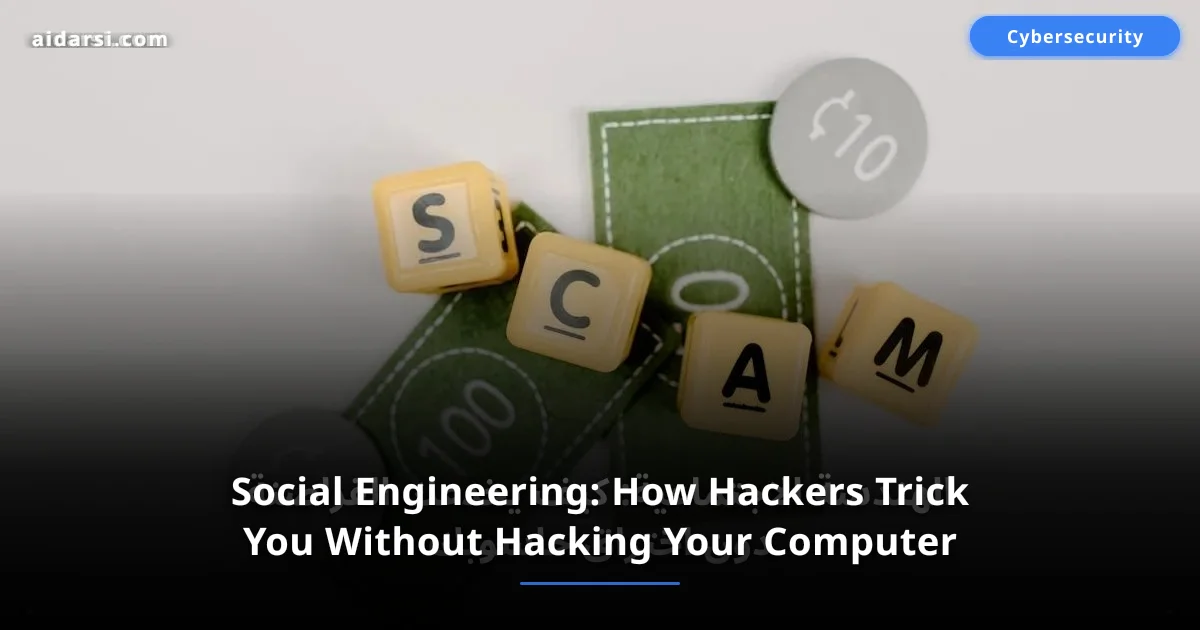
Social Engineering: How Hackers Trick You Without Hacking Your Computer
Learn about the most dangerous social engineering techniques from phishing to pretexting, how hackers exploit human trust, with real incidents and effective protection methods.
What you will learn
- You will understand what social engineering is and how hackers exploit human trust
- You will learn the most dangerous techniques from phishing to pretexting
- You will discover effective protection methods with real-world incidents to learn from
What Is Social Engineering?
When we hear the word "hacking," most of us picture someone sitting before a black screen typing complex commands to breach fortified systems. The reality is that the most dangerous cyberattacks do not target computers -- they target the human mind.
Social engineering is the art of psychological manipulation -- getting people to reveal confidential information or take actions that compromise their security. Instead of searching for a software vulnerability in an operating system, the attacker looks for a vulnerability in human behavior: trust, fear, curiosity, or the desire to help.
According to Verizon's 2025 report, more than 74% of successful breaches involved a human element -- whether human error, social engineering, or misuse of privileges. This means humans are the weakest link in the security chain, regardless of how advanced the technical systems are.
A hacker does not need to break through your firewall if they can convince you to open the door yourself.
For a broader understanding of the cyber threat landscape, check out our article on cybersecurity fundamentals.
Types of Social Engineering Attacks
1. Phishing
The most common and widespread social engineering technique. It breaks down into several forms:
Email Phishing
The attacker sends an email that appears to come from a trusted entity -- a bank, tech company, or even a colleague. The message typically contains a malicious link leading to a fake page that perfectly mimics the original site.
# Example of a typical phishing email — note the warning signs:

# From: [email protected]    <- capital I instead of lowercase l
# Subject: Urgent Security Alert - Your Account Has Been Suspended

# Dear Customer,
# We noticed suspicious activity on your account.
# Please click the link below to verify your identity within 24 hours
# or your account will be permanently closed.
# [Verify Account Now]  <- link leads to a fake site

# How to check the real link in the terminal:
curl -sI "https://bank-alert.com/verify" | grep -i "location"
# If it redirects to a different domain — it is phishing
Smishing (SMS Phishing)
Same principle but via SMS or messaging apps. Common example: "Your package is being delivered, track the shipment here" with a malicious link.
Vishing (Voice Phishing)
The attacker calls by phone, impersonating a bank employee or technical support, and requests sensitive information under the pretext of "identity verification" or "resolving a security issue."
2. Pretexting
The attacker builds a complete, convincing scenario (pretext) to gain the victim's trust. For example, they might claim to be:
- An IT department employee who needs your password "for maintenance"
- A police investigator requesting personal information "for a case"
- An insurance company representative who needs your data "to update your file"
What makes this technique particularly effective is that the attacker does prior research on the victim -- knowing their name, position, and company -- making the scenario extremely convincing.
3. Baiting
Relies on enticement and human curiosity. Most common forms:
- Physical bait: Leaving a USB flash drive in a company parking lot labeled "Employee Salaries 2026." When a curious employee plugs it into their computer, malware installs automatically.
- Digital bait: Tempting ads like "Download Photoshop for free" or "Win a free iPhone 17" that lead to malware downloads.
4. Tailgating
A physical attack where the attacker enters a building or restricted area by walking directly behind an authorized person. The attacker might carry heavy boxes and ask an employee to hold the door -- exploiting social courtesy.
5. Quid Pro Quo
The attacker offers a service in exchange for information. Example: calling and claiming to be from tech support, offering to "fix a problem on your computer" in exchange for remote access. Or offering a "free research report" in exchange for login credentials.
Real Incidents That Shook the World
Twitter Hack of 2020
In July 2020, Twitter suffered its largest security breach ever. A 17-year-old teenager managed to take control of accounts belonging to Elon Musk, Barack Obama, Bill Gates, and Apple. How? He did not hack Twitter's technical systems -- he called company employees impersonating an IT department colleague and convinced them to share internal system credentials. The attacker posted fraudulent tweets that collected over $120,000 in Bitcoin within hours.
RSA SecurID Attack of 2011
RSA -- a company specializing in security systems -- was breached through a single phishing email. An email titled "2011 Recruitment Plan" with an attached Excel file was sent to a small group of employees. One employee clicked the file containing a zero-day exploit, giving attackers full access to the company network and theft of SecurID two-factor authentication data. Cost of the incident: over $66 million.
FACC CEO Fraud of 2016
Austrian aviation company FACC fell victim to email fraud where attackers impersonated the CEO and sent a message to the finance department requesting a fund transfer for a "confidential" deal. The employee transferred 42 million euros to the attackers' account. Both the CEO and CFO were fired after the incident.
How to Protect Yourself
Suspicious Message Indicators
Learn to recognize warning signs in any message you receive:
| Warning Sign | Example |
|---|---|
| Exaggerated urgency | "Your account will be closed within 24 hours" |
| Grammar and spelling errors | A "formal" message full of errors |
| Strange sender address | [email protected] instead of paypal.com |
| Request for sensitive information | Password, card number, verification code |
| Suspicious links | Hover over the link without clicking to verify |
| Unexpected attachments | .exe or .zip files from an unknown source |
Daily Verification Habits
-
Verify the source directly: If you receive a message from "your bank," do not click the link. Open the bank's website directly or call their official number.
-
Never share sensitive information by phone or email: Your bank or any trusted entity will never ask for your password or verification code by phone -- ever.
-
Enable two-factor authentication (2FA): Even if the attacker gets your password, they cannot log in without the second factor. Learn about the importance of strong passwords in our article on strong password guide. Also make sure to protect your personal data to reduce information attackers can use against you.
-
Verify URLs: Before entering any data, make sure the address starts with
https://and the domain name is exactly correct. -
Be cautious with public Wi-Fi: Avoid entering sensitive data on unencrypted public networks. Learn how to secure your wireless network properly. If you suspect your phone has been compromised, read signs your phone is hacked and what to do.
-
Do not automatically trust callers: Even if your bank's number appears on your phone screen, it could be spoofed. Hang up and call the official number directly.
-
Monitor your financial accounts regularly: Enable instant transaction notifications and review your account statement weekly to detect any unusual activity.
The most powerful weapon against social engineering is not software or hardware -- it is the habit of verifying before responding. Stop, think, verify. Those few seconds could save you from severe losses.
# Quick verification checklist when receiving a suspicious message:

# 1. Was I expecting this message?
# 2. Is the sender's address real and familiar?
# 3. Does it request sensitive information or urgent action?
# 4. Do the links lead to the official domain?
# 5. Can I verify the sender through another channel?

# Check sender's domain using dig:
dig MX bank-alert.com +short
# Compare with the bank's official domain

# Inspect a suspicious link without opening it:
curl -sI "https://suspicious-link.com" | head -5

# If you doubt anything: do not click, do not reply, verify first.
Corporate Training
Smart companies do not rely solely on technical solutions -- they invest in employee training as the first line of defense:
- Regular awareness programs: Quarterly workshops on the latest social engineering techniques
- Phishing simulations: Sending fake phishing emails to measure employee awareness
- Safe reporting policy: Encouraging employees to report suspicious messages without fear of punishment
- Principle of least privilege: Granting each employee only the minimum access needed for their job
Social Engineering Testing in Companies
Major companies use Social Engineering Penetration Testing to assess employee readiness. This includes:
Testing Phases
- Information Gathering (OSINT): Searching for publicly available information about the company and employees via LinkedIn and social media
- Scenario Design: Building a convincing attack scenario tailored to the company environment
- Execute the Simulated Attack: Sending phishing emails, making phone calls, or attempting physical entry
- Documentation and Analysis: Recording results: How many employees clicked the link? How many shared data?
- Corrective Training: Customized training sessions based on discovered weaknesses
Common Tools
# Tools penetration testers use to simulate social engineering attacks:

# Gophish — open-source phishing simulation platform
# Install Gophish on Linux:
wget https://github.com/gophish/gophish/releases/latest/download/gophish-linux-64bit.zip
unzip gophish-linux-64bit.zip && chmod +x gophish
./gophish  # runs on port 3333

# SET (Social Engineering Toolkit) — comprehensive tool for multiple scenarios
# sudo apt install set  # on Kali Linux

# King Phisher — professional phishing campaign simulation
# Evilginx — advanced phishing attack simulation (reverse proxy)
Statistics show that companies conducting regular simulated phishing tests see a 75% decrease in employee click rates on phishing links within one year.
Key Takeaway
Social engineering is not just a technical threat -- it is a systematic exploitation of human nature. The strongest firewalls and latest antivirus programs will not protect you if you decide to share your password with a stranger yourself.
The first and last line of defense is awareness. Learn to recognize deception techniques, make verification a habit before responding, and always remember: if something seems too good to be true -- it probably is not.
Frequently Asked Questions
What is the difference between social engineering and technical hacking?
Technical hacking targets software vulnerabilities in systems and programs, while social engineering targets vulnerabilities in human behavior. Professional attackers often combine both approaches -- using social engineering as an initial entry point, then exploiting technical vulnerabilities to expand within the network.
Can two-factor authentication (2FA) protect me from social engineering?
2FA adds a strong layer of protection, but it is not an absolute defense. Some advanced phishing attacks use reverse proxy techniques to intercept verification codes in real time. Physical security keys (like YubiKey) are preferred as they resist this type of attack.
What should I do if I fall victim to a social engineering attack?
- Change passwords immediately for all affected accounts
- Notify your bank if you shared financial data
- Enable 2FA on all your accounts
- Inform your IT department at work
- Document the incident -- save screenshots of messages and links
- Report to authorities -- contact the cybercrime unit in your country
Do attackers target ordinary individuals or only companies?
Everyone is a target. Targeted attacks (Spear Phishing) focus on specific individuals or companies, while mass phishing campaigns send millions of messages randomly. Even if you are not a public figure, your banking data and social media accounts are valuable to attackers.
How do I teach my children to protect themselves from social engineering?
Teach them three simple rules: never share personal information with anyone online, tell your parents if a stranger asks you for something online, and never click links or download files from unknown sources. Keep the conversation open and non-threatening so children feel safe reporting any suspicious situation.
المصادر والمراجع
Cybersecurity Department — AI Darsi
Information security and digital protection specialists
Related Articles
Warning: The Most Common Online Scams in 2026 and How to Avoid Them
Online fraud losses exceeded $12.5 billion globally in 2025. Learn the top 10 scams in 2026 with real-world Arab examples and instant protection tips
Ransomware Attack Disables 300 Hospitals: Cybersecurity Lessons
A new ransomware attack hits a US hospital network and shuts down emergency systems — what happened and how to protect your organization from ransomware attacks
The Most Dangerous Cybersecurity Threats in 2026 and How to Protect Yourself
A new cyberattack happens every 39 seconds. Discover the 8 most dangerous cyber threats of 2026 including AI attacks and ransomware, with practical protection tips